Quick comparison
Clarity is the more straightforward default for free behavior evidence, while Contentsquare is the more complete choice when feedback and an ongoing research workflow are central requirements.
| Decision factor | Hotjar, now Contentsquare | Microsoft Clarity |
|---|---|---|
| Primary job | Connect behavior evidence to feedback and a broader digital-experience workflow. | Provide free recordings, heatmaps, funnels, filters, and AI-assisted behavior evidence. |
| Best team | UX, research, CRO, digital-experience, and product teams with a recurring investigation process. | Marketing, product, UX, and small teams that need useful evidence without a software budget. |
| Session recordings | Included Free and paid plans include an event stream, filtering, links into other analyses, and plan-dependent AI or governance features. | Included Clarity records up to 100,000 sessions per project per day, although not every tracked session is necessarily available for playback. |
| Heatmaps | Click, movement, scroll, and attention heatmaps; more detailed zoning analysis starts on paid plans. | Click, scroll, area, conversion, and attention maps, with some differences by website or mobile context. |
| Surveys and feedback | Included Native surveys, NPS, on-site feedback, targeting, logic, and AI-assisted analysis. | Not native A separate survey or feedback product is required. |
| Funnels and filters | Funnels, broad filters, and reusable segments; deeper journeys and the most advanced conditions are plan- or module-dependent. | Code-free funnels, more than 30 filters, saved segments, custom tags, custom IDs, and Smart Events. |
| Mobile support | Mobile analytics includes current tap and scroll heatmaps. App replay and advanced scope are package-, framework-, and plan-dependent. | Dedicated SDKs cover Android, iOS, React Native, Flutter, and other supported frameworks. Feature parity varies. |
| Privacy controls | Global masking modes, selector or page rules, URL exceptions, and plan-dependent consent and governance controls. | Strict, Balanced, and Relaxed masking; selector-level overrides; consent mode; input and dropdown content always masked. |
| Pricing model | Free entry, then separately priced Experience Analytics, Voice of Customer, and enterprise capabilities. | Free forever, with no traffic-priced plan or forced paid upgrade. Published playback, heatmap, export, and retention limits still apply. |
| Main limitation | Packaging, metering, legacy terminology, and module boundaries require more buying diligence than the old standalone Hotjar comparison implied. | No native qualitative-research layer, short default replay playback, coarse deletion controls, and no first-class company-level product model. |
Clarity has also moved beyond being only a basic heatmap tool. Its current free product includes recordings, several heatmap types, extensive filters, saved segments, code-free funnels, Smart Events, Copilot summaries, custom identifiers, exports, and supported mobile SDKs.
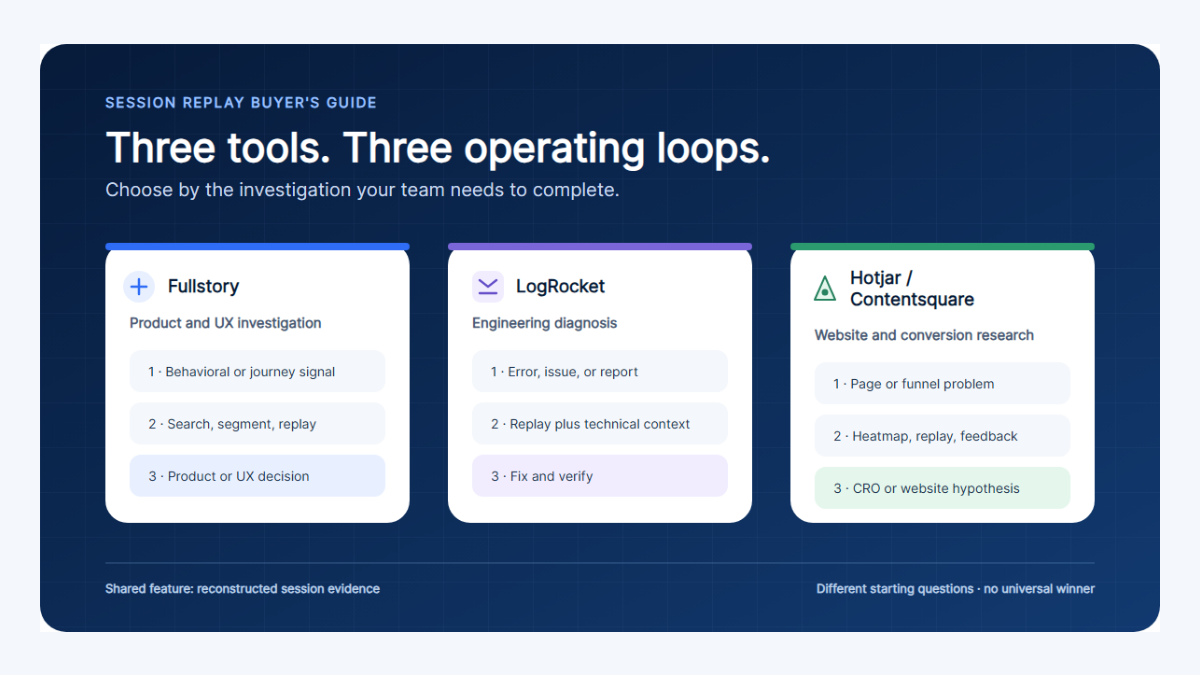
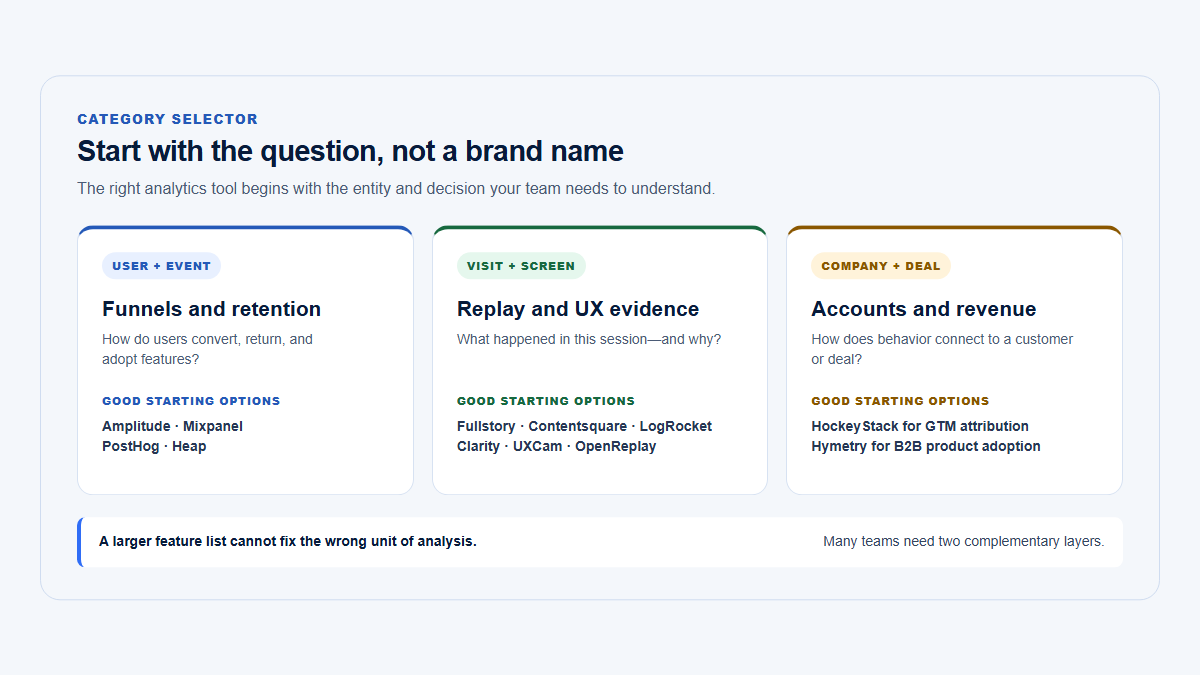
Readers also evaluating a more debugging-oriented replay platform should use the deeper Microsoft Clarity vs Hotjar vs Fullstory comparison. The broader product analytics tools comparison covers a different category and should not be treated as a replacement for this direct decision.
Can one replace the other?
| Question | Short answer | What would be lost or rebuilt |
|---|---|---|
| Can Clarity replace Hotjar? | Often, when the requirement is recordings, heatmaps, filters, funnels, and AI-assisted behavior review. | Native surveys, NPS, on-site feedback, paid retention options, zoning, advanced journey analysis, and stronger enterprise governance would be lost or moved to companion tools. |
| Can Hotjar replace Clarity? | Functionally, current Contentsquare can cover most web behavior-evidence requirements. | It does not reproduce Clarity’s entirely free, no-paid-upgrade operating model. Mobile scope and advanced access also depend more heavily on the licensed package. |
| Should a company run both? | Only with a defined reason and an end date. | Running both duplicates tags, processors, consent states, recordings, dashboards, and review work. It is most defensible during migration or a deliberately split workflow. |
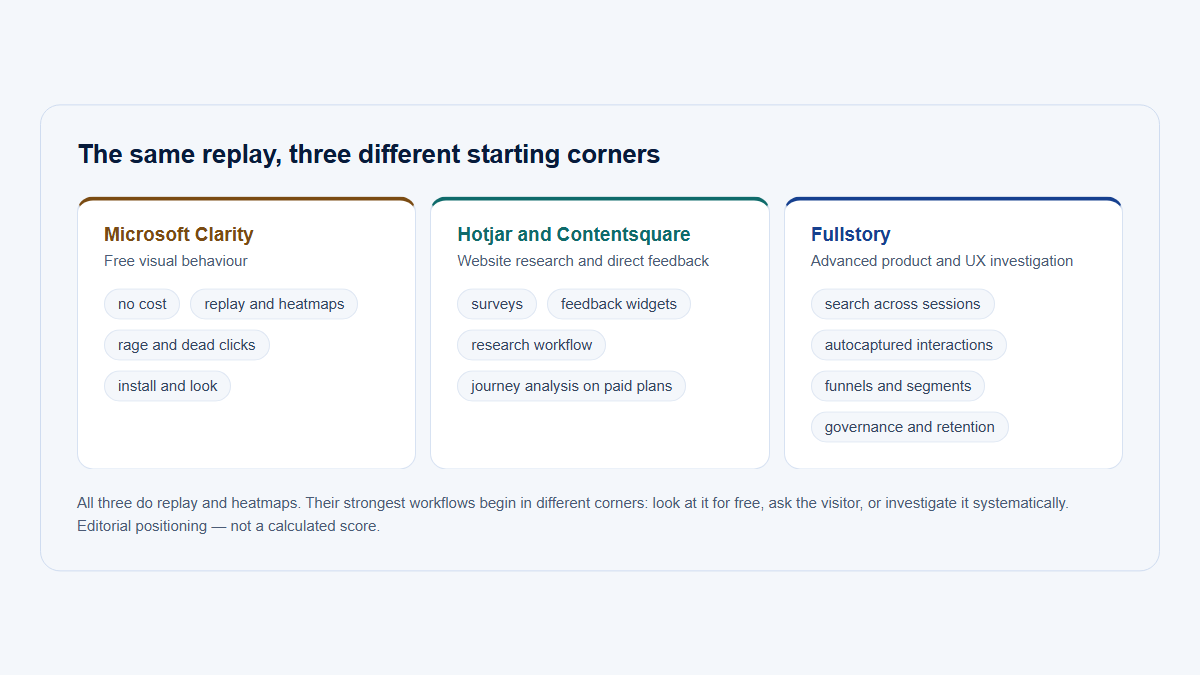
Free behaviour evidence, then research workflow and governance
Microsoft Clarity
Free behaviour evidence
Contentsquare Free sits here
Paid Contentsquare
Research workflow and governance
Look at behaviour, at no cost Run a research programme
Free tiers are genuinely useful for public pages. The upgrade decision is about research workflow, retention and governance — not about whether you can watch a recording.
Recordings and heatmaps
Both products can support serious recording and heatmap work; the difference is less about basic capture and more about how far the surrounding analysis workflow extends.
| Capability | Hotjar, now Contentsquare | Microsoft Clarity | What this means |
|---|---|---|---|
| Recording workflow | Replay list, session metadata, event stream, activity timeline, links into heatmaps or zoning, and plan-dependent AI summaries. | Recording list, inline player, event details, labels, heatmaps from recordings, live recordings, and Copilot summaries. | Both can move from a filtered session to visual evidence without treating replay as a raw video archive. |
| Session search | Filters and sorting can isolate sessions by duration, activity, frustration signals, pages, goals, identifiers, and other conditions, with plan-dependent depth. | More than 30 filters cover paths, devices, traffic, behavior, performance, funnels, Smart Events, JavaScript errors, and custom identifiers. | Clarity’s free search is materially stronger than its old “basic heatmap” reputation suggests. |
| Segmentation | Reusable segments can combine pages, goals, user actions, session attributes, integrations, custom variables, frustration indicators, and product-analytics conditions where licensed. | Filter combinations can be saved as segments and used across recordings, heatmaps, and dashboards. | Both support repeatable investigation, but Contentsquare has a broader paid condition model. |
| Page and URL filters | Page selection supports exact, contains, starts-with, ends-with, and regular-expression URL conditions. | Entry, exit, visited, and referral-path filtering is available. Check regular-expression support against the current filter surface. | Test the exact route-matching behavior needed for dynamic URLs before migration. |
| User metadata | A known user identifier and custom variables can support targeted replay search, subject to eligibility, implementation, and plan. | Custom user, session, and page IDs plus custom tags can be set through the Clarity client API. | Both can locate known-user sessions, but neither should receive unnecessary raw personal data. |
| Company metadata | A company ID can be passed as a custom variable, but Experience Analytics does not organize adoption around Companies by default. | An account ID can be passed as a custom tag or identifier, but Clarity does not calculate company-level adoption. | Carrying an account value is not the same as having an account-centric product model. |
| Heatmap types | Click, movement, scroll, and attention heatmaps; zoning analysis adds element-level metrics on paid plans. | Click, scroll, area, conversion, and attention maps. Click maps include views such as rage, dead, error, first, and last clicks. | Clarity offers a wider set of named free heatmap views; Contentsquare differentiates through paid zoning and connected analysis. |
| Aggregated heatmaps | Pages or page groups can be analyzed by device, period, and segment, then connected to matching replays. | A single page or grouped pages can be analyzed with filters, segments, device views, comparison, CSV, and image exports. | Both support aggregate-to-session investigation rather than relying on isolated recordings. |
| Frustration or issue indicators | Frustration scores and conditions can include repeated clicks, excessive hover, loops, low activity, and other indicators, depending on plan and module. | Rage clicks, dead clicks, excessive scrolling, quick backs, JavaScript errors, and click errors can be filtered. | Indicators prioritize review; they do not independently establish a usability cause. |
| Successful versus unsuccessful sessions | Goals, funnels, transactions, segments, journeys, and zoning comparisons can separate outcomes, with the richest workflow on paid plans. | Funnels and Smart Events can separate sessions that completed or missed a defined step, then feed recording and heatmap filters. | Clarity handles useful success/failure slicing for free; Contentsquare provides more paid analytical depth. |
| SPA support | Common single-page applications can be captured, but route mapping, dynamic screenshots, custom variables, and authenticated assets must be validated. | Dynamic DOM behavior and route changes can be recorded, but replay rendering depends on accessible assets and correct instrumentation. | Test representative authenticated routes in staging; do not assume every SPA renders correctly from tag installation alone. |
| Mobile support | Current Contentsquare releases include tap and scroll heatmaps across major frameworks. Mobile replay is a separate, plan-dependent capability and may use sampling. | Mobile SDKs support major native and cross-platform frameworks, with recordings, tap heatmaps, filters, and related analysis. Conversion maps are not supported for mobile apps. | Clarity is the simpler free mobile starting point; Contentsquare mobile scope requires a package-level check. |
| Retention | Retention is plan-specific. The current Experience Analytics Growth page states 13 months for session-tracking data and two months for replays. | Standard recordings remain playable for 30 days. Favorites and a selected sample can remain up to nine months; heatmap data remains available up to nine months. | Longer replay access can be a legitimate reason to pay, especially when research cycles exceed one month. |
A useful recording workflow begins with a question and a segment, not a random session list. The guide to reviewing session replays explains how to choose sessions, while what session replay captures separates captured interaction data from interpretation.
Surveys, feedback, and research workflow
Contentsquare has the decisive advantage when the team wants to ask users questions inside the same operating workflow; Clarity has no native equivalent.
| Capability | Hotjar, now Contentsquare | Microsoft Clarity | What this means |
|---|---|---|---|
| Surveys | Native popover, button, bubble, inline, full-screen, and link surveys with multiple question types and logic. | Not native No survey builder. | Clarity requires a separate survey product when direct feedback is part of the method. |
| Feedback widgets | A persistent button or bubble can collect continuous on-page feedback. | Not native No feedback widget. | Contentsquare can keep qualitative input beside behavior evidence instead of moving it to another system. |
| NPS or equivalent | Native NPS surveys with score reporting and response context. | Not included. | Teams running recurring satisfaction measurement need Contentsquare or another feedback product. |
| Interview recruitment | Current support documentation says Interviews and User Tests are unavailable for purchase by new customers and unavailable to free customers. Existing paying customers with access can continue using them. | Not included. | New buyers should not select Contentsquare on the assumption that participant recruitment is currently part of the package. |
| Targeting | Surveys can target URLs, JavaScript events, user attributes, and other conditions. | Not applicable because Clarity has no native survey. | Contentsquare can ask a question at the moment a defined behavior occurs. |
| Response analysis | Completion metrics, individual responses, metadata, filters, tags, exports, sentiment analysis, AI-generated summaries, and recurring-theme assistance. | Not applicable natively. | Contentsquare supports an ongoing response-analysis workflow rather than only response collection. |
| Replay-to-feedback workflow | On-site survey responses can be connected to the corresponding session replay where replay was captured. | No native feedback object to connect. | This is the clearest material workflow difference between the products. |
| Collaboration | Survey results and summaries can be shared, exported, or forwarded through supported integrations; replay analysis includes comments and shared context. | Recordings and heatmaps can be shared, and recordings can be labeled, but there is no native qualitative-research repository. | Clarity supports evidence sharing, not a complete research-operations workflow. |
| Annotations | Survey tags, response metadata, replay comments, and analysis summaries support organization, with details varying by module. | Recording labels and share links provide lightweight organization. | Neither should be mistaken for a full research repository, but Contentsquare offers more connected context. |
| Integrations | Current survey documentation lists analytics, messaging, issue-tracking, API, webhook, and automation integrations. | Clarity integrates with analytics and installation platforms, but survey integrations belong to the companion feedback tool. | Contentsquare reduces handoffs when research feedback is already a core process. |
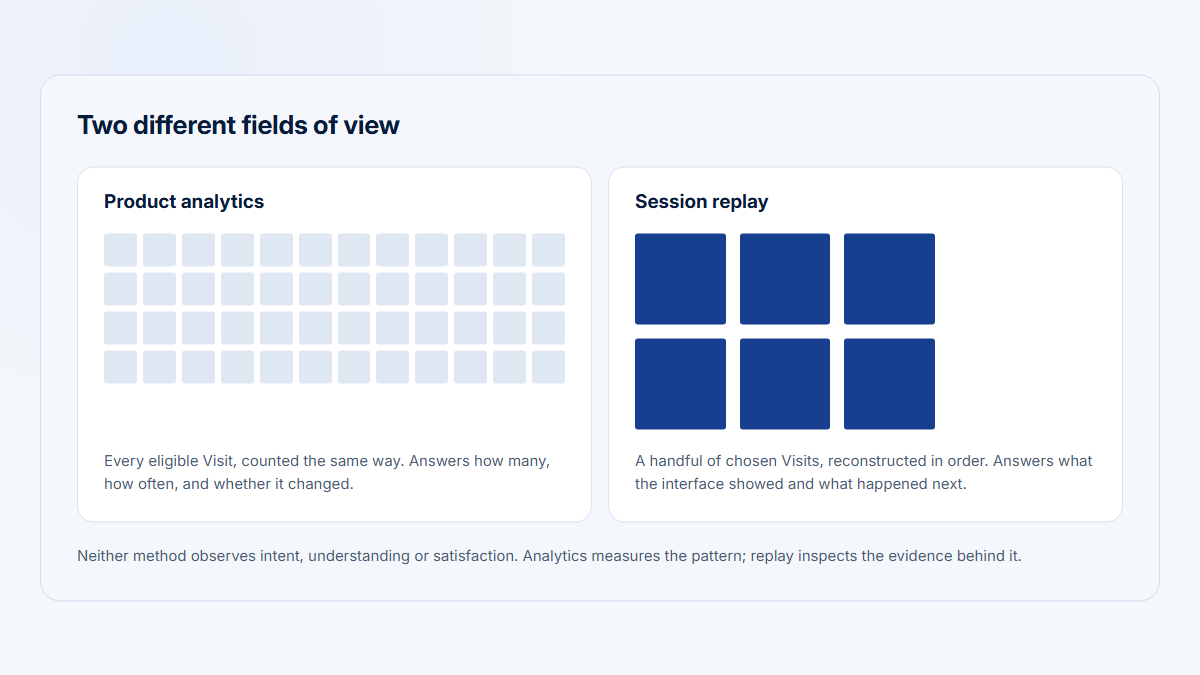
Recordings do not replace interviews or usability tests. A recording shows the behavior that was captured; a well-designed interview or usability test can investigate goals, expectations, vocabulary, decision criteria, and causes that are not visible in the session.
Teams building a repeatable research process can also use Hymetry’s UX research use-case guidance as an account-level complement, not as a replacement for survey or interview tooling.
Segmentation, funnels, and authenticated products
Both products can inspect authenticated flows, but neither automatically becomes account-centric B2B product analytics simply because an account ID is attached to a session.
A compact B2B SaaS scenario
Consider SampleCloud, a fictional B2B SaaS company with a marketing website, signup, authenticated onboarding, several users per customer company, and a Reporting workflow whose completion rate is falling despite stable traffic. The team has also noticed repeated button clicks and wants to ask affected users for feedback.
| Evidence question | Hotjar, now Contentsquare | Microsoft Clarity | Additional tool or evidence required |
|---|---|---|---|
| Landing-page behavior | Heatmaps, replay, funnels, and an on-page survey can show behavior and collect direct feedback. | Free heatmaps, replay, filters, and funnels can show how visitors interact. | Marketing attribution, campaign data, and experimentation remain separate. |
| Signup funnel | Funnel and segment analysis can identify drop-off and connect selected sessions or survey responses. | A code-free funnel can combine URLs and Smart Events, then filter matching recordings. | Validate completion against backend signup records rather than relying only on client-side capture. |
| Onboarding sessions | Authenticated sessions can be replayed after masking, consent, route, and identifier rules are configured. | Authenticated sessions can also be replayed with the same implementation disciplines. | Product analytics, account identity, privacy review, and technical logging may still be required. |
| Report-completion failure | Funnels, journey analysis, replay, frustration indicators, and error monitoring can provide different evidence when licensed. | Funnel filters, Smart Events, replay, and JavaScript-error filters can narrow the affected sessions. | Frontend observability, API or backend logs, and a trusted completion event are needed to confirm technical causes. |
| Direct user feedback | Native survey or feedback formats can ask what blocked completion. | Requires a separate feedback or survey tool. | Interviews or usability testing may still be necessary to investigate the explanation. |
| Affected company identification | A company ID can be passed through a custom variable, but there is no default Companies adoption model in Experience Analytics. | A company ID can be passed through a custom tag or identifier, but Clarity does not aggregate account adoption. | Hymetry, a warehouse model, or another account-centric analytics layer is required. |
| Prevalence measurement | Session or funnel counts can estimate how often the captured behavior occurs, but not automatically how many customer companies or account users are affected. | The same limitation applies: session and funnel prevalence is not account adoption or user penetration. | Account-level denominators, deduplicated Companies and Users, and structured product metrics are required. |
| Customer-success context | No native customer-success portfolio or multi-user account view in the Experience Analytics workflow. | No native customer-success portfolio or account-health workflow. | Connect product evidence to Companies, Users, lifecycle attributes, CRM, and customer-success context. |
The deciding gap is not whether either platform can show an unsuccessful session. It is whether the team can measure how many customer companies and users are affected, identify whether usage is broad or concentrated, and connect the session to the customer context that makes the issue commercially important.
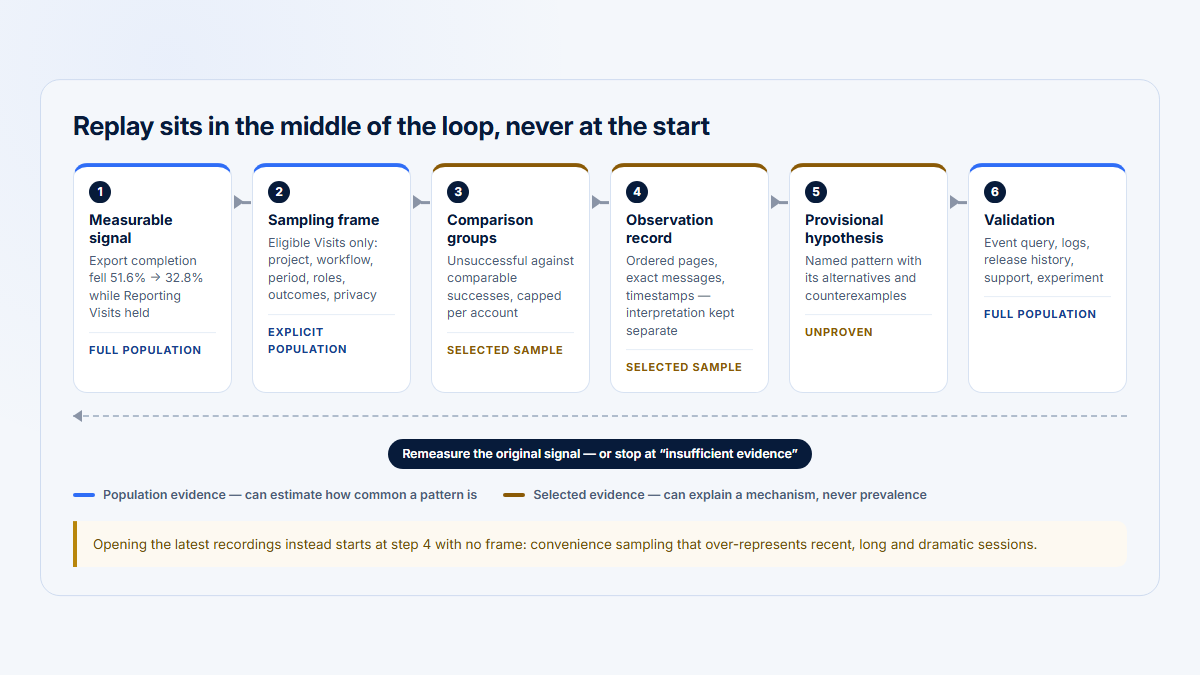
Measure, watch, ask, validate, measure again
1
Measurable signal
A rate or step that moved, with a period and a denominator
2
Selected recordings
Sessions chosen because of the signal
Watch successes too, not only failures
3
Direct feedback
Ask the people affected, in their own words
4
Structured validation
How many and how often, measured rather than inferred
5
Measure after the change
The only step that tells you the fix worked
Step 5 is the one most often skipped. Without it a team accumulates confident explanations and no evidence that any of its changes helped.
Privacy, implementation, and data controls
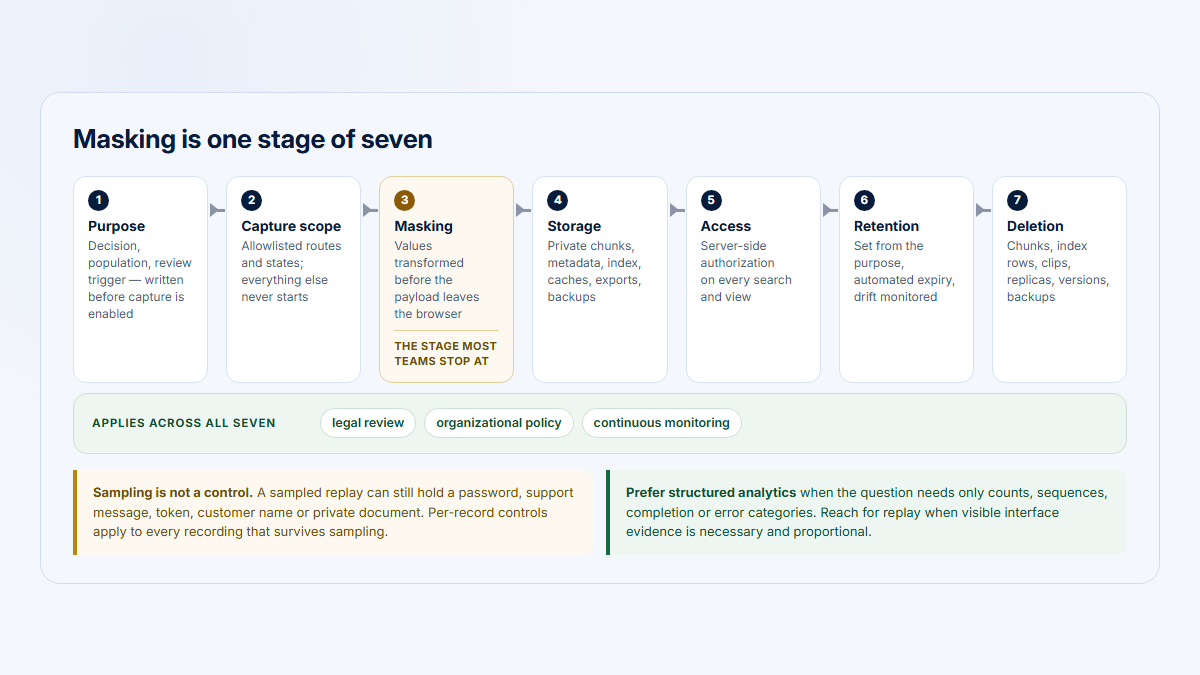
Neither tool is “free” from an implementation or privacy perspective: both require deliberate consent, masking, route, identity, retention, and access decisions.
| Control | Hotjar, now Contentsquare | Microsoft Clarity | Practical implication |
|---|---|---|---|
| Masking | Current masking settings support global Full, Partial, or No masking plus page-level exceptions and rule testing. | Strict, Balanced, and Relaxed modes plus selector-level mask or unmask overrides. | Begin conservatively and unmask only content that has passed review. |
| Blocking or suppression | Configured content, selectors, pages, and capture conditions can be suppressed or excluded. | Selectors can be masked, but Clarity does not support excluding individual elements from generated heatmaps. The tag can be conditionally omitted where capture is inappropriate. | Heatmap exclusion and replay-data suppression are not identical controls. |
| Excluded routes | URL and page rules, replay targeting, and tag logic can exclude sensitive routes or limit capture. | Microsoft’s documented route-exclusion method is to remove or avoid loading the Clarity tag on the relevant URLs. | Route exclusions should be tested after every navigation or application-shell change. |
| URL handling | Page definitions and masking exceptions can use URL rules and regular expressions. Sensitive query values still require deliberate treatment. | URL parameters can be handled through configuration or support-assisted masking, but page, referral, and clicked-URL behavior should be reviewed separately. | Never assume that masking visible page content automatically removes sensitive URL data. |
| Input-field controls | Mask or suppress sensitive form elements and avoid collecting values that are not needed for the analysis. | Input boxes and dropdown menus are masked in every mode and cannot be unmasked. | Clarity’s fixed input masking is safer but less flexible; both still require form-level QA. |
| User identifiers | A known user identifier can be hashed and searched, and custom variables can carry user or account context, subject to implementation and eligibility. | Custom user, session, and page IDs plus custom tags are available through the client API. | Use stable internal IDs rather than raw names or email addresses unless an approved use case requires otherwise. |
| Consent | Consent behavior depends on configuration, region, plan, and deployment. A separate Session Replay consent opt-in is currently available on certain Pro and Enterprise web packages. | Since October 31, 2025, Clarity requires a valid consent signal for full functionality for users in the EEA, UK, and Switzerland. | Consent changes whether multi-page sessions and funnels remain analytically coherent. |
| Retention | Plan-specific. Current Experience Analytics Growth states 13 months of session-tracking data and two months of replay access. App replay retention varies by plan. | Standard replay playback is 30 days; favorites and a selected sample may remain up to nine months; heatmaps remain up to nine months. | Match retention to the actual research cadence instead of buying history the team will never review. |
| Deletion | Project, account, contractual, and data-subject workflows vary by product and plan. Public self-serve documentation does not provide one universal per-record deletion promise. | A specific recording cannot be deleted. Microsoft says deleting a specific user’s data requires deleting the entire project. | Confirm deletion requirements before launch, especially for identified or authenticated products. |
| Export | Raw pageview or session export exists but can require CSM activation, admin access, and contractual entitlement. One-time jobs cover a maximum seven-day range. | Recording metadata can be exported as CSV for up to 100,000 sessions; replay files cannot be downloaded. A separate dashboard-data API is available. | Exporting metadata is not the same as owning portable replay files. |
| Access control | Free and Growth have project and subscription permissions; Pro and Enterprise add broader account, team, and admin management. | Public documentation describes project-level Admin and Team-member roles, with unlimited members and a limit on pending invitations. | Contentsquare offers the clearer enterprise-governance path; Clarity keeps access simpler. |
| SSO or enterprise access | SAML 2.0 SSO is available on Pro and Enterprise plans. | No comparable enterprise SSO workflow is documented in the current public Clarity help surface. | Organizations with centralized identity requirements should verify this before a Clarity-wide rollout. |
| Installation effort | One web tag can activate several Contentsquare products; mobile requires appropriate SDK and package configuration. | A web snippet, GTM, supported platform integration, or mobile SDK is required. | Initial installation is easy; production-safe implementation still needs consent, masking, route, and event QA. |
| Likely team owner | UX research, CRO, digital experience, or product analytics, with privacy and engineering support. | Marketing, product, UX, or analytics, with privacy and engineering support. | Assign an owner for instrumentation and an owner for review; otherwise recordings accumulate without decisions. |
Clarity’s consent behavior deserves special implementation testing. Without a valid consent signal in affected regions, pageviews can fragment into separate sessions and multi-step funnels can appear to drop off completely. That is an analytical-quality issue as well as a privacy configuration issue.
Use the session replay privacy checklist before deploying either product on authenticated routes.
A marketing site and a B2B product need different evidence
Public marketing website
Visual behaviour evidence is often enough
Also required inside a B2B product
Authenticated B2B product
Behaviour evidence is necessary but not sufficient
Neither product supplies the account layer by default. Inside a B2B product, a heatmap answers a question nobody on the renewal call is asking.
Pricing and customer feedback
Clarity wins on cost certainty; Contentsquare wins on the ability to expand from a free evidence layer into separately priced research, analysis, and governance workflows.
Free entry, modular upgrades
Hotjar, now Contentsquare
$0 free plan
- Free Experience Analytics
- 200,000 monthly analytics sessions, one project, and replay of 5% of sessions up to 10,000
- Free Voice of Customer
- 100 responses and up to three surveys or feedback widgets
- Experience Analytics Growth
- $49/month billed annually, from 7,000 sessions and three projects
- Voice of Customer Growth
- $99/month billed annually, from 500 responses
Entirely free operating model
Microsoft Clarity
$0 forever
- Traffic-priced plan
- None published
- Recording capture
- Up to 100,000 sessions per project per day
- Standard replay playback
- 30 days
- Heatmap data
- Up to nine months
| Decision item | Hotjar, now Contentsquare | Microsoft Clarity |
|---|---|---|
| Free plan or allowance | $0. Experience Analytics Free lists up to 200,000 monthly analytics sessions, one project, replay of 5% of sessions capped at 10,000, and one month of analytics and replay access. Voice of Customer Free lists 100 monthly responses and up to three surveys or feedback widgets. A 15-day Growth trial requires no payment details. | $0 forever. Microsoft publishes no paid tier, traffic-priced upgrade, or forced upgrade path. Playback, heatmap, export, and retention limits still apply. |
| Paid entry model | Experience Analytics Growth was displayed at $49 per month, billed annually with discounts applied, starting with 7,000 monthly sessions and three projects. At that entry level, up to 7,000 replays are captured. Voice of Customer Growth was displayed at $99 per month, billed annually, starting with 500 monthly responses. | No paid plan is currently published. |
| Traffic or session unit | The licensed product determines the unit: sessions and replays for Experience Analytics, responses for Voice of Customer, and separate terms for other products. | No traffic-priced license unit. Clarity records up to 100,000 sessions per project per day, heatmaps use up to 100,000 pageviews each, and CSV recording metadata exports support up to 100,000 sessions. |
| Retention | Current Experience Analytics Growth: 13 months of session-tracking data and two months of session replays. Other plans and mobile packages vary. | Standard replay playback: 30 days. Favorites and a selected sample: up to nine months. Heatmap data: up to nine months. |
| Survey or feedback packaging | The free experience advertises 100 responses per month. Voice of Customer Growth advertises 500 monthly responses and adds paid research features. Product pricing is separate. | No native survey or feedback packaging. |
| Enterprise model | Pro and Enterprise are custom-priced. Advanced governance, SSO, larger deployments, data access, mobile scope, and add-ons depend on the contract. | No paid enterprise tier is published. Organizations use the same free product and should evaluate whether its roles, deletion, retention, and support model meet internal requirements. |
| Customer rating | 4.3/5 · 345 reviews G2 · verified August 11, 2026 | 4.5/5 · 55 reviews G2 · verified August 11, 2026 |
| Review-count caveat | The profile spans several Hotjar product eras, legacy plans, and the transition into Contentsquare. The displayed count can fluctuate by one or two reviews. | The sample is much smaller, so the decimal should not be treated as a more reliable verdict. |
| Verification date | August 11, 2026 | August 11, 2026 |
| Official source links | Contentsquare pricing · Current Hotjar landing page · Current ownership and plan guide | Microsoft Clarity pricing · Microsoft Clarity FAQ |
Pricing caveats and legacy Hotjar accounts
The Contentsquare prices above are a point-in-time self-serve snapshot. On August 11, 2026, the pricing page displayed $49 for Experience Analytics Growth and $99 for Voice of Customer Growth, labeled “Billed annually” and “Discounts applied.” Region, taxes, selected product, usage, and contract terms can change the effective amount.
The current free and Growth counters are not intuitive at first glance. Free lists 200,000 analytics sessions but captures only 5% for replay, capped at 10,000. Growth starts at 7,000 sessions, captures 100% up to 20,000, and includes three projects.
The transition landing page advertises more than 10 integrations, while the detailed Experience Analytics Free table lists seven pre-built integrations. Reverify the exact allowance and integration set inside the actual account before presenting a cost forecast.
Existing legacy Hotjar customers may still encounter old plan names or the insights.hotjar.com interface.
Do not use legacy Observe, Ask, Engage, Basic, Plus, Business, or Scale pricing as the current new-buyer comparison. Also recheck the interview contradiction: current marketing copy advertises an interview allowance, while current support documentation says Interviews and User Tests are unavailable to new and free customers.
What customers repeatedly mention
The themes below synthesize recurring patterns in recent and high-signal G2 reviews. They are directional, not a statistically coded review study.
| Product | Common praise | Common criticism | What the reviews suggest |
|---|---|---|---|
| Hotjar by Contentsquare | Easy initial setup; intuitive visual evidence; useful heatmaps and recordings; convenience of feedback and behavior tools in one workflow. | Time required to review many recordings; price and allowance changes; retention or plan limits; confusion during the transition into Contentsquare. | Teams value the connected research workflow, but buying clarity and an intentional review process matter as much as the feature list. |
| Microsoft Clarity | Genuinely free; quick setup; immediately useful recordings and heatmaps; broad value for small teams. | Shorter default replay playback; lighter collaboration, feedback, and governance; occasional complaints about incomplete or imperfect replay rendering. | Clarity’s value proposition is unusually strong, but teams with formal research or governance needs often add another tool. |
The higher Clarity decimal does not make it the universal winner. The review samples differ greatly in size, product history, customer mix, and the jobs reviewers expected each product to perform.
Which should you choose?
The right starting product depends on whether the team needs visual behavior evidence, direct research feedback, mobile coverage, or company-level product context.
| Scenario | Recommended starting product | Companion tool or evidence if needed | Reason | Main caveat |
|---|---|---|---|---|
| Small marketing website | Microsoft Clarity | Web analytics and consent management | Useful recordings, heatmaps, filters, and funnels without a license cost. | No native survey or persistent feedback workflow. |
| Ecommerce conversion team | Contentsquare Free, then Growth when justified | Transaction analytics, experimentation, and technical monitoring | The path from heatmaps and replay into feedback, zoning, journeys, and conversion-oriented analysis can become valuable. | Advanced analysis, retention, and governance create a paid and potentially multi-product package. |
| B2B SaaS public website | Microsoft Clarity | Marketing analytics for attribution; Hymetry after signup | Clarity is a strong free way to investigate public-site behavior while keeping authenticated account analytics separate. | Public-site sessions do not explain multi-user customer adoption after signup. |
| Startup needing free recordings | Microsoft Clarity | A lightweight survey product only when direct feedback becomes necessary | There is no paid tier, and the free feature set is broad enough for an early evidence workflow. | Thirty-day standard playback and no native feedback should be acceptable. |
| UX researcher needing surveys | Contentsquare Voice of Customer | Interview or usability-testing platform if recruitment is required | Native surveys, NPS, targeting, response analysis, and replay context reduce workflow fragmentation. | Do not assume current interview recruitment is available to a new account. |
| Team investigating an authenticated onboarding flow | Microsoft Clarity for a low-cost first pass | Product analytics, Hymetry for B2B accounts, frontend monitoring, backend events, and research | Replay and funnels can show representative onboarding sessions without forcing an immediate paid platform decision. | Neither Clarity nor Experience Analytics alone establishes account-level prevalence or root cause. |
| Organization needing mobile behavior evidence | Microsoft Clarity | Mobile crash, performance, and event analytics | Supported SDKs make it the simpler free starting point for replay and tap heatmaps. | Framework parity varies, and some web heatmap types do not apply to mobile apps. |
| Product team needing account-level adoption | Neither as the primary system; start with Hymetry or another account-centric product analytics layer | Clarity or Contentsquare as the replay and website-behavior companion | The core question is company adoption, user penetration, usage concentration, and affected-account context. | Passing an account ID into a replay tool does not create a B2B account model. |
Migration and coexistence
Run both tags only during a time-boxed migration, a controlled evaluation, or a deliberately split workflow. Duplicate capture increases privacy review, implementation ownership, dashboard reconciliation, and recording-review work.
- Preserve definitions and findings rather than assuming the raw replay archive will move. Clarity does not provide downloadable replay files, and a move away from Contentsquare will not reproduce its survey-response objects inside Clarity.
- Rebuild the small number of segments, funnels, labels, and feedback workflows the team actually uses, compare representative outputs, then remove the redundant tag on a fixed date.
Where Hymetry fits
Hymetry becomes relevant after signup when a B2B team needs to understand behavior through customer Companies and their Users rather than only through anonymous or individual sessions.
Hymetry is account-centric product intelligence for B2B SaaS. It connects product areas and grouped pages or features to Companies, Users, account adoption, user penetration, usage concentration, and the Visits that provide session evidence.
For example, a team can use Companies to identify an account whose Reporting adoption softened, Users to see whether usage depends on one person, and Visits to inspect the selected sessions behind the signal.
The product usage by company guide explains why this differs from adding a company ID to a user-level report.
FAQ, methodology, and sources
Is Microsoft Clarity better than Hotjar?
Microsoft Clarity is better when the priority is capable behavior analytics with no software fee. Hotjar’s current successor in Contentsquare is better when the team will use native surveys, feedback, paid retention, advanced segmentation, journeys, or stronger governance. Neither is universally better.
Is Microsoft Clarity really free?
Yes. Microsoft currently describes Clarity as free forever, with no traffic-priced paid tier or forced upgrade. Free does not mean unlimited playback or zero operational cost: published recording, heatmap, export, retention, consent, and deletion constraints still matter.
Which product has better heatmaps?
Clarity offers click, scroll, area, conversion, and attention maps for free. Contentsquare offers click, movement, scroll, and attention heatmaps, then differentiates through paid zoning, richer element metrics, segment comparison, and connected journey analysis. The better option depends on whether free visual evidence or deeper paid analysis matters more.
Which product includes surveys and feedback?
Contentsquare includes native surveys, NPS, feedback formats, targeting, and response analysis. Clarity has no native survey or feedback product, so it must be paired with another tool when the team needs to ask users questions.
Can Clarity replace Hotjar?
Clarity can replace Hotjar for many teams whose core job is recording, heatmap, funnel, filter, and AI-assisted behavior review. It does not replace native surveys, feedback, longer plan-based replay access, paid zoning and journeys, or enterprise governance.
Can either replace product analytics?
Not automatically. Both can support funnels and custom identifiers, but deep authenticated-product analysis requires structured product events or pages, reliable outcomes, and suitable denominators. B2B teams also need Companies, multiple Users per account, account adoption, user penetration, and usage concentration.
Where does Hymetry fit?
Hymetry fits after signup when a B2B SaaS team needs to connect product behavior to customer Companies, their Users, product areas, grouped pages, and selected Visits. It complements a public-site behavior tool rather than replacing its heatmaps, surveys, debugging, or attribution functions.
Sources
Methodology: this comparison was verified on August 11, 2026. The evidence level is documentation and independent reviews. No hands-on product test is claimed.
Methodology and evidence limits
Research priority was current official product and support documentation; official pricing and packaging; privacy, retention, deletion, access, mobile, filtering, and export documentation; G2 as the common customer-rating source; current independent editorial material as a cross-check; and official video material for a workflow demonstration.
The provisional distinction was tested rather than assumed. The evidence supports Clarity as the stronger default for entirely free behavior evidence and Contentsquare as the stronger fit when native feedback and a paid research or optimization workflow are required.
The article does not treat vendor-authored competitor comparisons as neutral evidence. It also does not infer attention, intent, frustration, or satisfaction from replay alone.
G2 ratings and review counts are point-in-time snapshots. Review themes are a qualitative synthesis of recurring comments, not a statistically representative content analysis.
No independent comparison video was embedded because accessible candidates did not provide enough confidence that their Hotjar pricing and packaging matched the unified August 2026 Contentsquare buyer experience. The selected Microsoft video demonstrates a material workflow without being presented as neutral comparative evidence.
The most important unresolved source conflict concerns interview recruitment. Current marketing copy promotes an interview allowance, while current Contentsquare support pages say Interviews and User Tests are unavailable to new and free customers. The support documentation controls this article’s recommendation.
Official product documentation
Hotjar and Contentsquare
- Current Hotjar-to-Contentsquare landing page
- Hotjar ownership, product suite, and current plan structure
- Guide for legacy insights.hotjar.com users
- Contentsquare heatmaps and zoning
- Contentsquare surveys overview
- Creating Contentsquare surveys
- Survey targeting with user attributes
- Survey targeting with events
- Contentsquare Interviews availability
- Contentsquare User Tests availability
- Contentsquare segments and conditions
- Contentsquare Raw Data Export
- Contentsquare 2026 releases
- Contentsquare Single Sign-On
Microsoft Clarity
- Microsoft Clarity frequently asked questions
- Clarity recordings overview
- Clarity data retention
- Clarity heatmaps overview
- Clarity filters overview
- Clarity saved segments
- Clarity funnels
- Clarity Smart Events
- Clarity Copilot overview
- Clarity grouped session insights
- Clarity mobile SDKs
- Clarity content masking
- Clarity consent mode
- Clarity reporting without cookie consent
- Clarity recording metadata export
- Clarity Data Export API
Official pricing
Customer reviews
Ratings verified August 11, 2026: Hotjar by Contentsquare 4.3/5 from 345 reviews; Microsoft Clarity 4.5/5 from 55 reviews.
Independent editorial or video material
- Independent 2026 buyer-question cross-check; not the source of record for pricing or capabilities
- Official Microsoft Clarity recording walkthrough
- Official Microsoft page containing the walkthrough
- Existing Hymetry three-way comparison, used to avoid duplicating the Fullstory discussion